GateBerry
GateBerry is a compact PLC built on the Raspberry Pi platform, combining the flexibility of open computing with industrial-grade reliability. Featuring an integrated UPS, RS-485 interface, 5V I²C bus, and real-time clock, it ensures continuous operation and seamless communication. With an expansion slot for and additional communication like: LoRa, CAN, 4G, and more, GateBerry is the perfect bridge between IoT innovation and industrial automation.
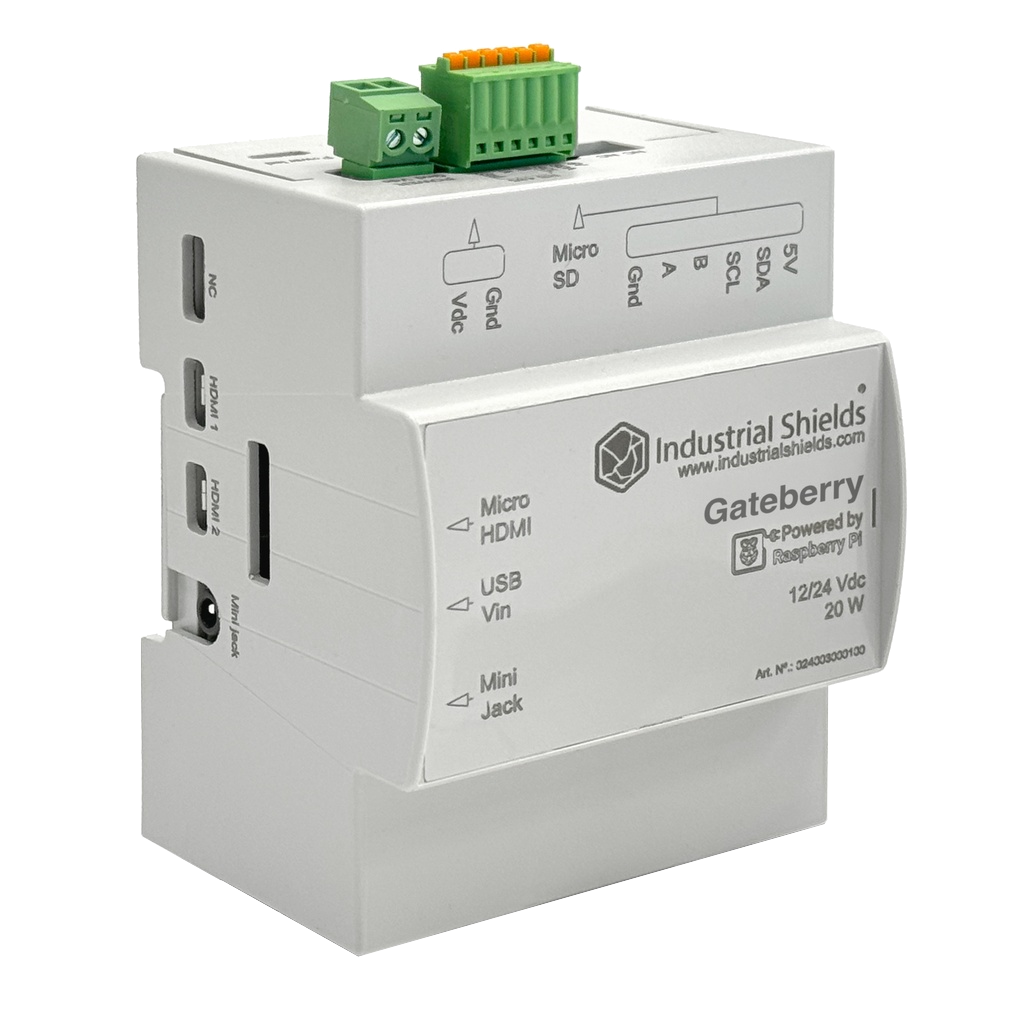
What is included on purchase (default product)
- 1x GateBerry (2GB | 4GB | 8GB RAM, selectable at the moment of purchase)
- 1x Screw connector (2 pin)
- 1x Push-in connector (6 pin)
- 1x MicroSD 20GB (Industrial Grade)(Include: Raspberry Pi OS - Debian Bookworm 64 bit (With custom configurations)
The pack includes an antenna in case the product is equipped with additional communication that requires it.
Requirements to use
- 1x GateBerry
- 1x Ethernet wire (SSH connection) or keyboard and mouse (with desktop interface)
- DC Power supply (12V-24V)
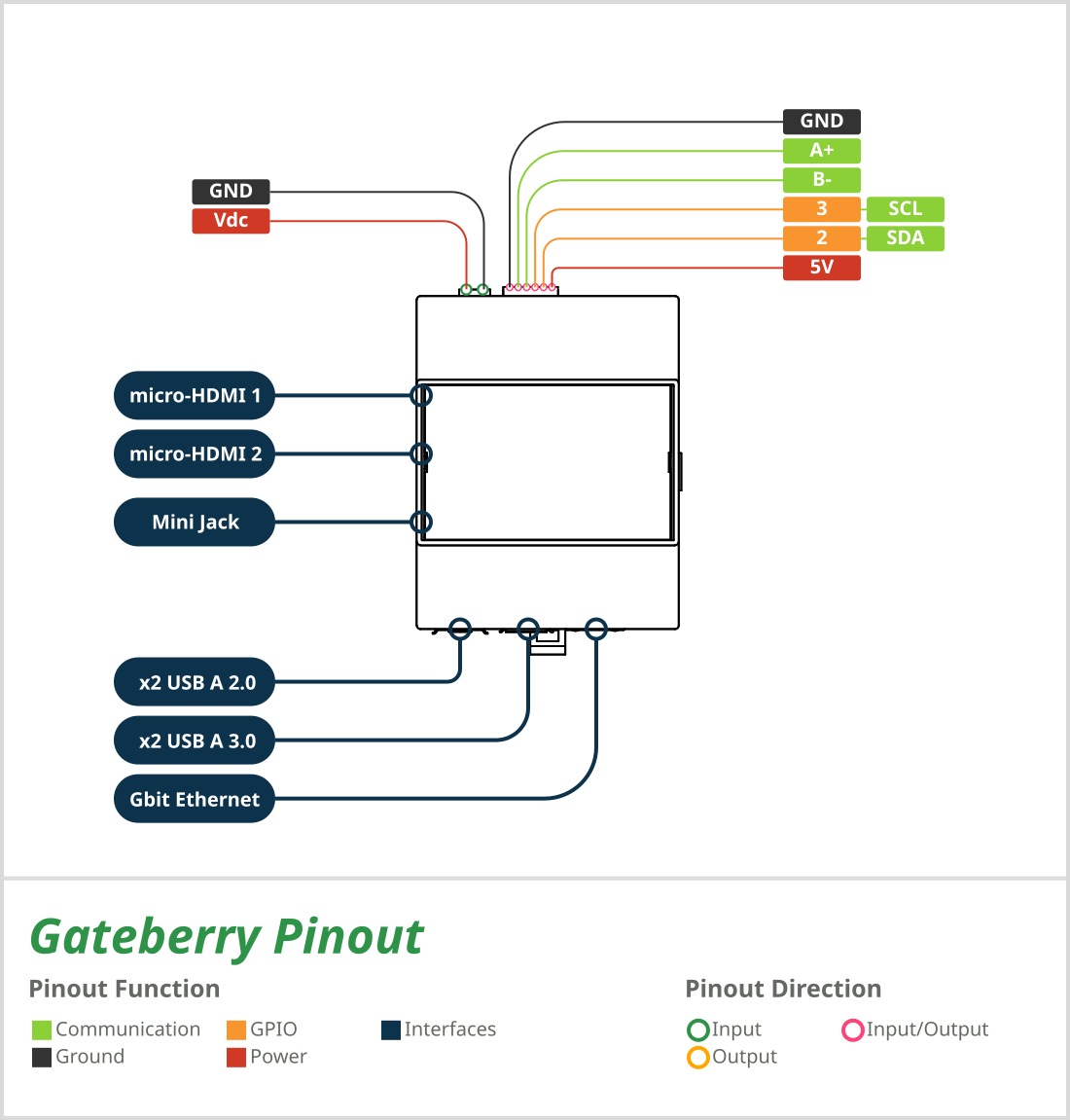
Pinout
Technical Features
| Board |
Raspberry Pi 4B
Raspberry Pi 5
|
| CPU |
Broadcom BCM2711,
Quad core ARM Cortex-A72 (ARMv8-A, 64-bit) Broadcom BCM2712,
Quad core ARM Cortex-A76 (ARMv8-A, 64-bit) |
| Clock speed |
1.8 GHz
2.4 GHz
|
| RAM |
2GB
4GB
8GB
|
| Storage |
20 GB (industrial grade µSD ) |
| Operating system | Raspberry Pi OS - Debian Bookworm 64 bit (With custom configurations) |
| Cooling system | Heat sink included in TS35 DIN Rail |
| UPS | Controlled by software to safely shutdown the Raspberry Pi in the event of a power outage or loss of power supply. |
| RTC | PCF85363 Real Time Clock, powered with button battery included (CR1216 or CR1220) |
| USB | 2x USB-A 2.0, 2x USB-A 3.0 |
| Ethernet | 1x Gbit Ethernet, RJ45 connector |
| RS485 | 1x RS485 interface (half-duplex) with software switchable 120Ω termination resistor |
| I²C | 5V I²C bus, direct from Raspberry Pi board. Address 0x51 is in use by RTC |
Block Diagram


Usage Environments
| IP protection | IP 20 |
| Storage temperature | 0 to 60 ºC |
| Ambient environment (operating) | 0 to 55ºC with no corrosive gas. The dry heat test is performed at 55 °C for 300 hours under load, ensuring stable operation and long-term reliability. |
| Ambient humidity (operating temperature) | 10 % to 95 % (no condensation). The equipment maintains correct operation under ambient humidity conditions up to 95 % RH in the cyclic damp-heat test (35 °C to 25 °C for 1000 hours), without degradation of performance |
| Dielectric strength | The dielectric withstands a leakage current of less than 1 mA when a voltage of 1200 V DC is applied for 2 seconds. |
| Vibration resistance | The equipment withstands continuous vibration from 5 to 9 Hz at 1.75 mm amplitude and from 9 to 150 Hz at 4.9 m/s² acceleration, in accordance with EN 61131-2. |
| Impact resistance | A shock (impact) test of up to 147 m/s² (15 g) applied three times in each of the X, Y, and Z directions. |
Measures
Downloads
The .STP file for this PLC is available here.
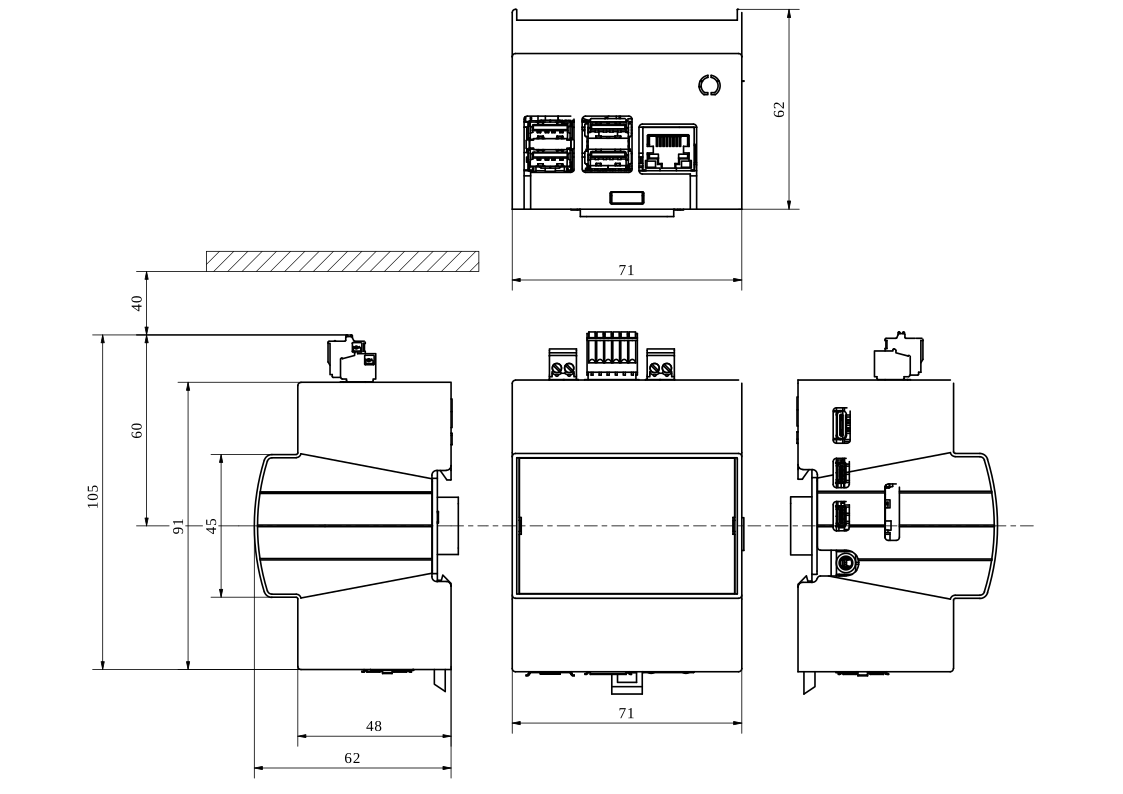
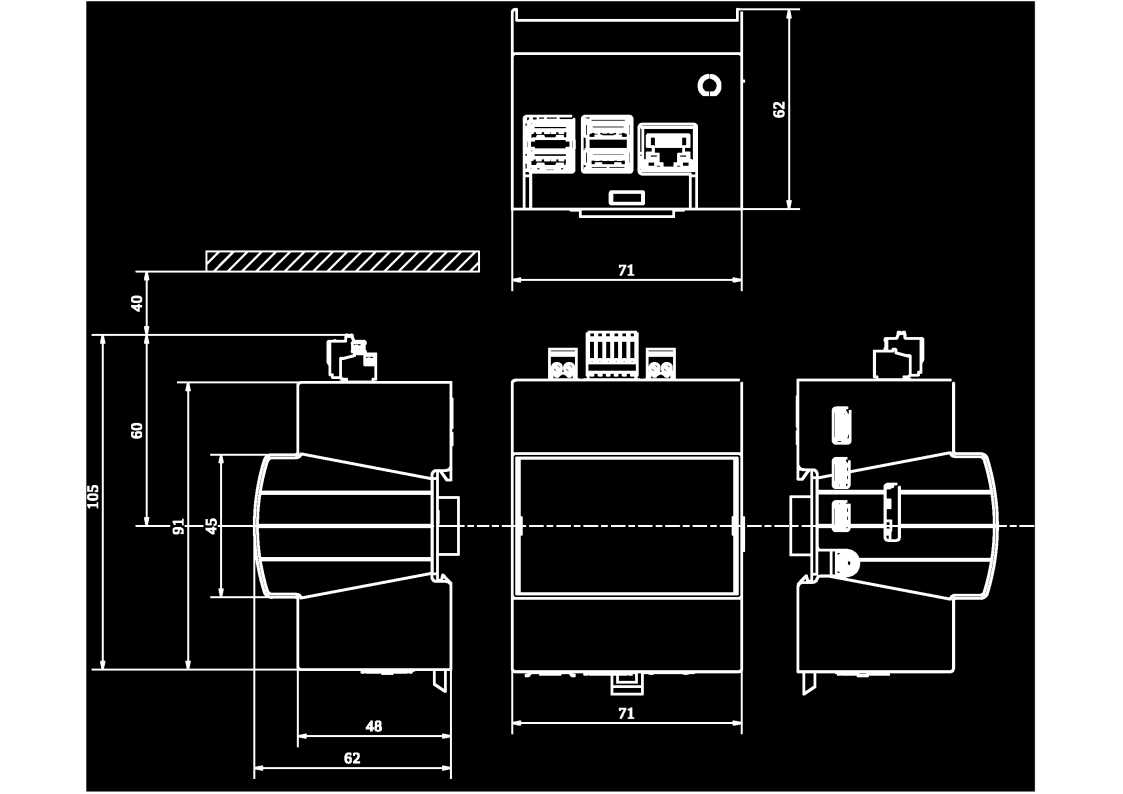
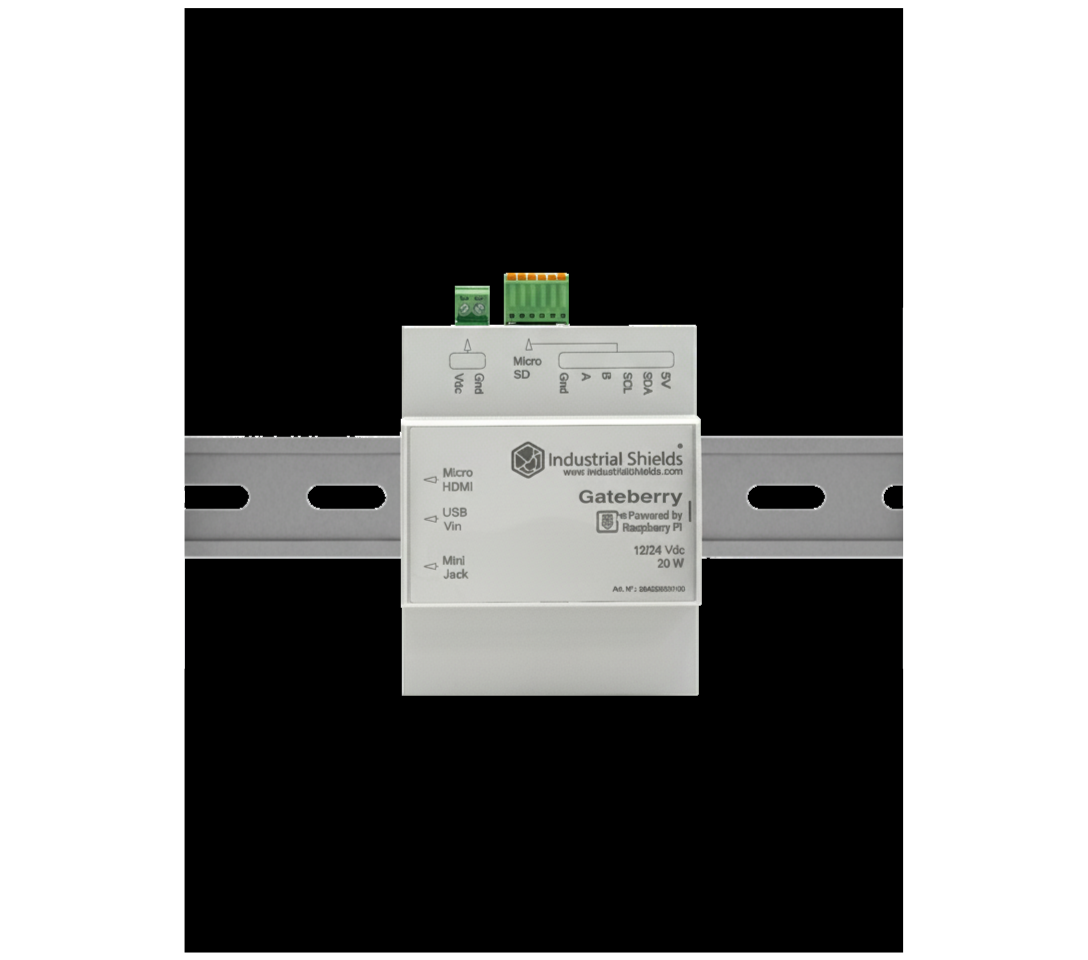
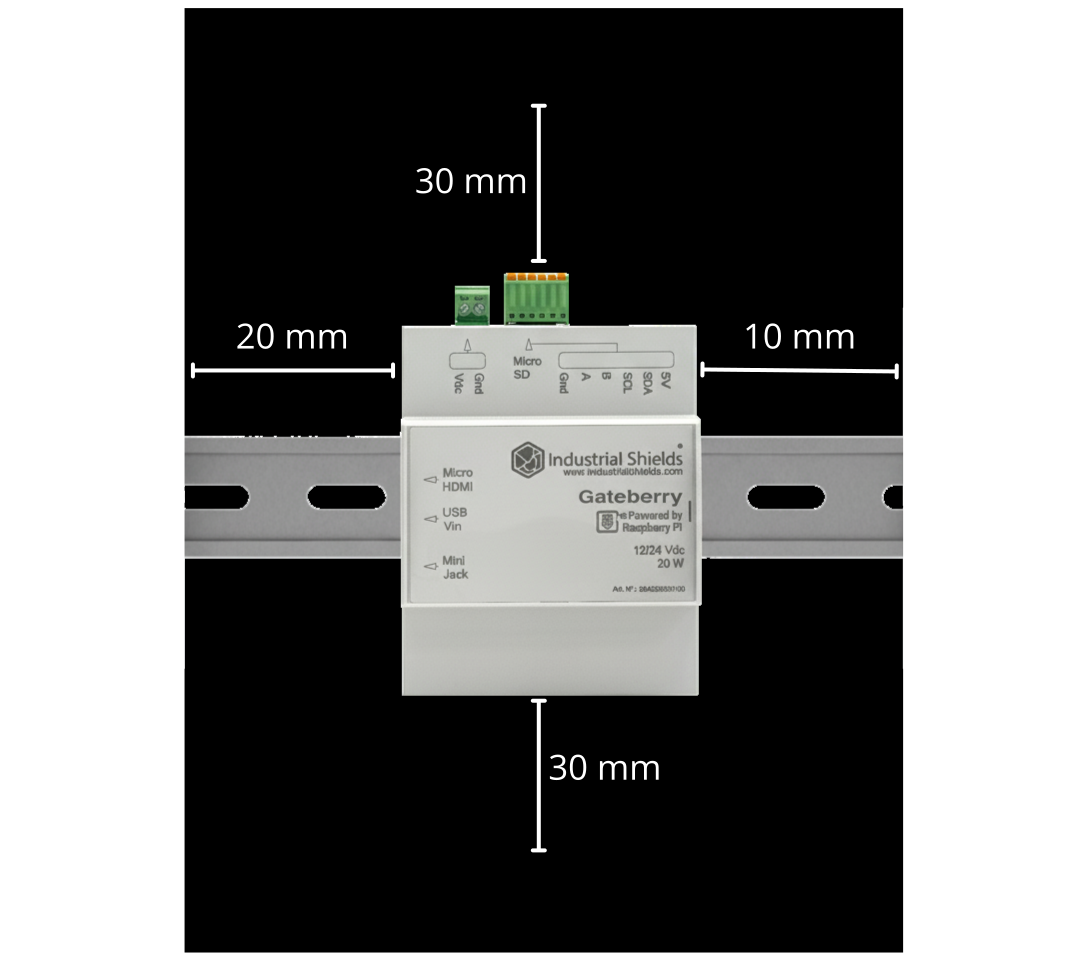
| Dimensions | 91 x 71 x 62 mm (without connectors) |
| Weight | ~221 g (without expansion board) |
| DIN Rail | TS35 |
Power Supply
The GateBerry PLC is designed for a nominal supply voltage of 24 Vdc, with an allowable operating range from 12 to 24 Vdc.
Danger
Exceeding these limits may cause the equipment to malfunction, or even end up being damaged.
Next, a simple diagram is shown to see how to connect a power supply to any Industrial Shields unit.


Consumption characteristics
This report explores how different GateBerry consume power during idle and stress scenarios. Understanding these patterns is crucial for optimizing efficiency in industrial applications.
In this scenario, the GateBerry is powered on, with all pins and communications turned off. This test measures the baseline power consumption when the device is idle and not actively engaged in any processing or other non-basic tasks.
| VOLTAGE (V) | CURRENT (mA) | POWER (W) |
|---|---|---|
| 24 | ~400 | ~9.6 |
| 12 | ~1000 | ~12 |
Under stress conditions, the GateBerry is subjected to intensive computational tasks or high-demand processes. This test evaluates the peak power consumption when the device is operating at its maximum capacity, providing valuable information for scenarios where the PLC is under heavy load. This test is done using the stress-ng command.
| VOLTAGE (V) | CURRENT (mA) | POWER (W) |
|---|---|---|
| 24 | ~750 | ~18 |
| 12 | ~1900 | ~22.8 |
All of these calculations are approximate and have been measured using the standard GateBerry product, a Raspberry Pi 4 Model B with 2 GB RAM. Several factors can affect power consumption, for example:
- Raspberry Pi model
- Expansion Boards
- Temperature and environmental conditions
- Power quality
Custom Configurations
When you purchase a GateBerry, from the factory, this PLC comes with our custom image installed.
Latest image version
You can download the latest image for this product here.
Image versions
Here you will find the different image versions we have available for customers.
The configurations in the latest published image are shown below:
| Hardware | Configure SPI, I²C, UART, UPS and RTC |
| System | Disables kernel messaging to serial, enables SSH |
| Network | Fixed IP 10.10.10.20 on eth0 |
| Logs | Enable compression and 50 MB limit |
| Udev | Create symlinks /dev/rs485 and /dev/exp_serial |
| Repositories | Add Industrial Shields font and its GPG key |
| Packages | Install PLC libraries (librpiplc), utilities, Node-RED install (Node-RED is not installed by default) |
| User | Copy base configuration and permissions, default user: username: pi password: raspberry |
| Services | Activate rpishutdown-boot-watchdog.service and SSH |
1. Modifications to /boot/config.txt
Add the "GateBerry V9" configuration:
-
Enable UPS:
dtoverlay=gpio-poweroff,gpiopin=23,active_lowdtoverlay=gpio-shutdown,gpio_pin=24,gpio_pull=up
-
Enable SPI with 2 chip selects:
dtparam=spi=ondtoverlay=spi0-2cs,cs0_pin=8,cs1_pin=7
-
Enable I²C and RTC clock on the I²C bus:
dtparam=i2c_arm=ondtoverlay=i2c-rtc, pcf85363
-
Optimize boot:
initial_turbo=60(increases CPU frequency for the first 60 seconds)
-
Enable UART PL011:
dtoverlay=miniuart-btenable_uart=1
-
Specific configuration for RPi 4:
dtoverlay=uart3
-
Specific configuration for RPi 5 (does not affect RPi 4):
- Disable internal RTC and enable
uart2.
- Disable internal RTC and enable
2. Serial console setup
Remove console=serial0,115200 from /boot/cmdline.txt
Disable kernel messages through the RS-485 port (/dev/ttyAMA0).
3. UDEV Rules and Symlink Script
Create /etc/udev/rules.d/99-IndustrialShields.rules:
/dev/ttyAMA0→ symlink/dev/rs485- For RPi 4 → run
/usr/local/bin/create_exp_serial.shwhen/dev/ttyAMA3is detected
Create /usr/local/bin/create_exp_serial.sh:
- Detect the model (RPi 4 or 5)
- On RPi 4 → create symlink
/dev/exp_serial → /dev/ttyAMA3 - On RPi 5 → create symlink
/dev/exp_serial → /dev/ttyAMA2
4. Kernel Modules
Add i2c-dev to the file /etc/modules
Automatically loads the I²C module at boot time.
5. Logging System Configuration (journald)
Modify /etc/systemd/journald.conf:
- Enable compression:
Compress=yes - Limit the total journal size to 50 MB
6. Network (NetworkManager)
Configure a static Ethernet connection:
- Interface:
eth0 - IP address:
10.10.10.20/24 - Save configuration to
/etc/NetworkManager/system-connections/eth0-1.nmconnection
7. Services
- Enable SSH to start automatically.
- Install and enable the
rpishutdown-boot-watchdogservice (downloaded from the Industrial Shields server):- Monitor the UPS status during boot time.
8. APT Repositories and GPG Keys
- Add the Industrial Shields repository to
/etc/apt/sources.list - Download and install its public GPG key
- Run
apt update
9. Installing Packages
Install:
-
Custom libraries:
librpiplc=4.1.1python3-librpiplc=4.0.2rpishutdown-pre-poweroff=1.0.0librpiplc-tests-gateberry-v9
-
Additional dependencies:
python3-pippython3-serialpython3-websocketspython3-aiofilesppp, ppp-dev, i2c-tools
-
Extra Python:
- Install
aioserialwithpip.
- Install
10. Node-RED
- Download the official Node-RED installation script to
/etc/skel/.install-node-red.sh - Create the script
/etc/skel/install-node-red.shto run the installer for version 4.1.0. - Both scripts will be copied to the new users created from
/etc/skel.
11. User pi
- Copy the entire contents of
/etc/skelto/home/pi - Change the owner of
/home/pitopi:pi
12. Cleanup and Sync
- Run
apt clean - Run
syncto ensure changes are written to disk.
Recommendation
For security reasons, it is strongly recommended to change both the default IP address and the default login credentials provided with the device.
This measure helps prevent unauthorized access and ensures compliance with cybersecurity best practices.